Attachments
Every attachment of the game: triggers, conditions, canals, actions and all the others, with
their options as the game file has them. For what no other tool shows, and for attachments
written once for every element of a variable (foreach), which the other tools show read-only.
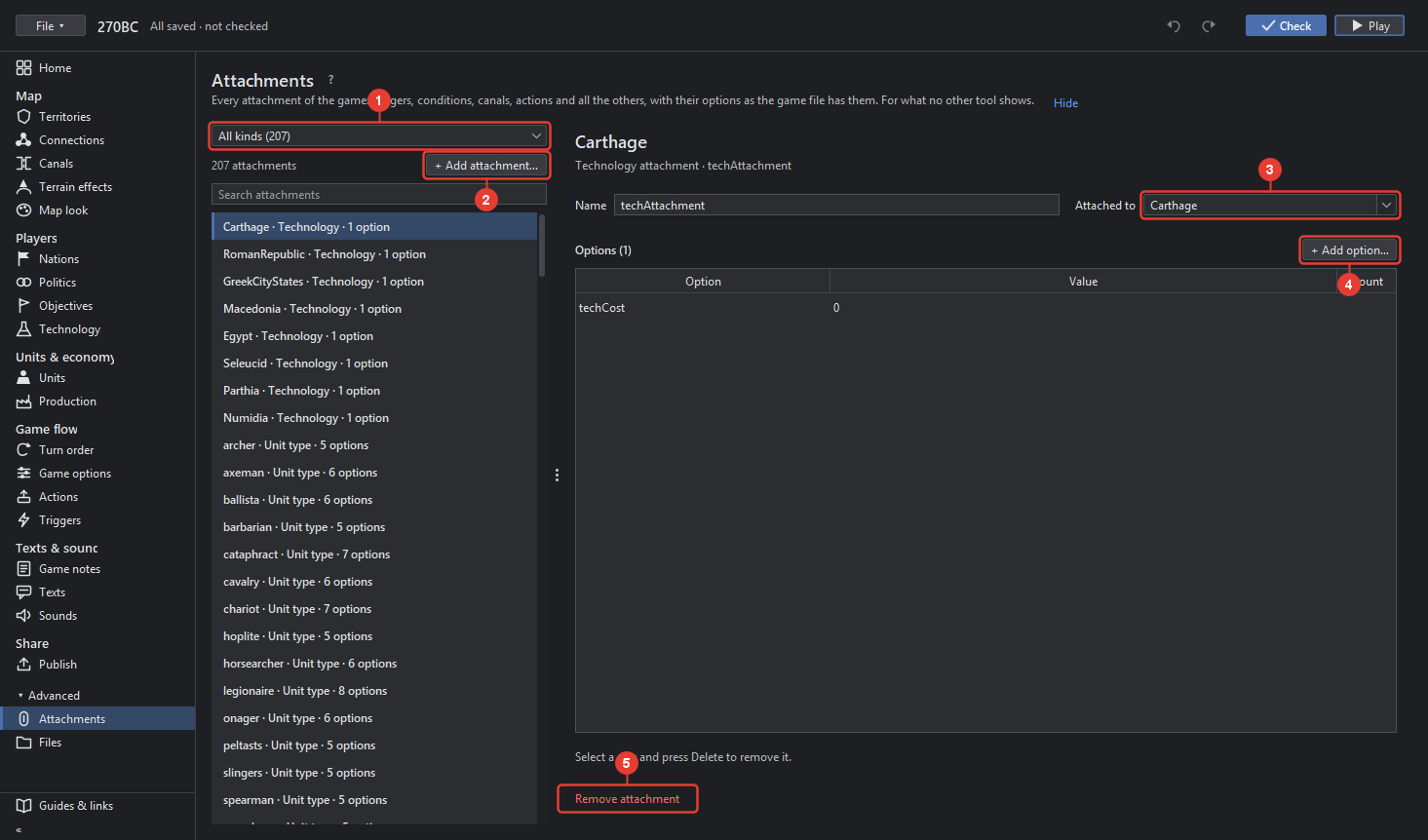
- Which kind of attachments are listed: all, or one kind, for example the unit attachments or the triggers. The list counts them and names each by what it is attached to.
- + Add attachment… adds one of a kind you choose, attached to a territory, a nation, a unit type or the game.
- Name of the attachment, which TripleA reads it by, for example supportAttachment… for a support; Attached to the thing it belongs to.
- Options (n): a table of the attachment's options, each Option, its Value and, where the game file has one, its count. Edit a cell in place. + Add option… adds an option by its name, chosen from the ones TripleA's class takes. Select a row and press Delete to remove it.
- Remove attachment takes it out of the game. The editor refuses when a trigger or a condition still names it, and says where.
An attachment with a foreach stands for one per element of the variable it names; the header
says "for each …". Its options may use @Variable@ for the element and $Variable$ for all
elements joined. The variables themselves are listed in the Game options tool's variables, where
one is added or removed.