Triggers
The game's triggers in plain words: what each does, when and how often. Change one or make a new one step by step in the trigger assistant. The picture shows WW2 Global 1940, which has 49.
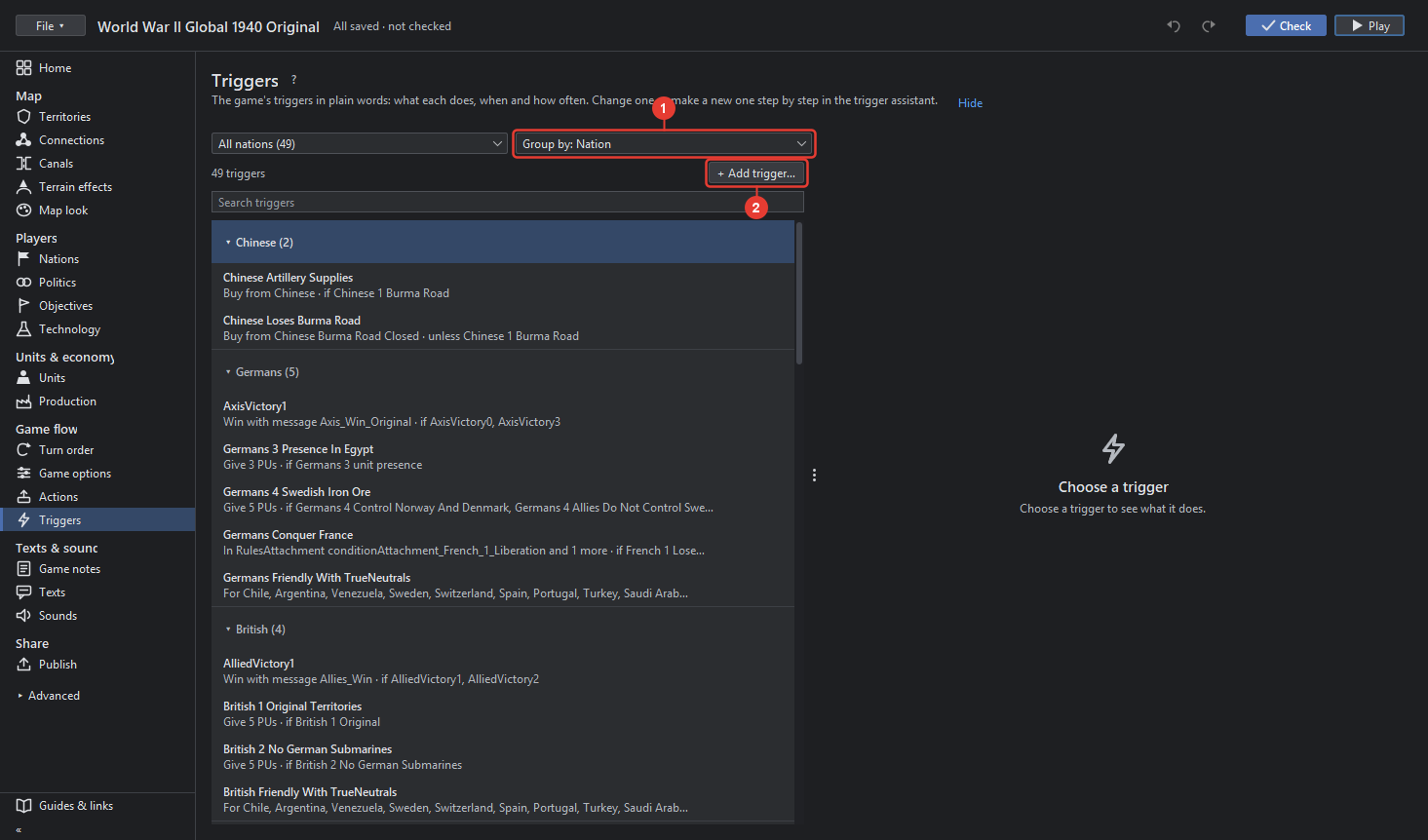
- Group the triggers by lists them under headings that fold: by nation, by what they do, or by when they fire. The list counts the triggers and shows each as one line.
- + Add trigger… opens the assistant with a new trigger.
A trigger, once chosen, reads as sentences: what it does, when it fires, how often, and the conditions it needs, each condition a sentence of its own. Below them:
- Change... opens the trigger in the assistant.
- Show chooses a trigger the sentences name, for example one this trigger activates.
- Duplicate makes a copy that uses the same conditions.
- Remove trigger takes it out of the game.
- "Use Triggers is off: no trigger fires. Set in Game options" shows while that option is off.
The trigger assistant
The assistant builds a trigger from an example and three questions.
- Start from an example or an empty trigger. The examples are grouped: Money & units (Give PUs when a nation holds territories, Place units when a nation holds territories), Land & politics (Change relationships, declare war, in a round), Production & tech, Messages & victory. An example fills the steps with a working trigger to change.
- What it does: the effects, one or more. Add effect adds something the trigger does: give PUs or resources, place or change units, change a relationship, activate another trigger, show a message, give a technology, change a game option, end the game, and more. Each effect has its own fields, for example the nation, the territories and the units.
- When: At each effect's usual moment, or Before or after the step of a nation, for example before Germans' purchase. Every round, In 1 round, or In several rounds; In how many rounds the trigger may fire; 0 is used up. Only by chance adds a dice roll.
- Conditions: what must be true. Add a check adds something a new condition checks: a nation holds territories, has units, the round number, a game option, and so on. Another condition adds one the map has already. How many conditions must hold for the trigger to fire, or the fewest. Fire when the conditions are not met turns the sense around.
- For nations (optional): the nations the trigger belongs to.
- Check and save: the assistant lists what is missing, for example "Condition c: Owns territories: Territories is missing.", or "No problems.", then Add trigger writes it. Options the assistant does not change stay as they are; Attachments shows them.