Game notes
What players read about your game: its story, rules and tips, in HTML. The preview shows it as the game does. The notes are saved in the game's notes file beside the game, for example 270BC.notes.html, which the line at the right names.
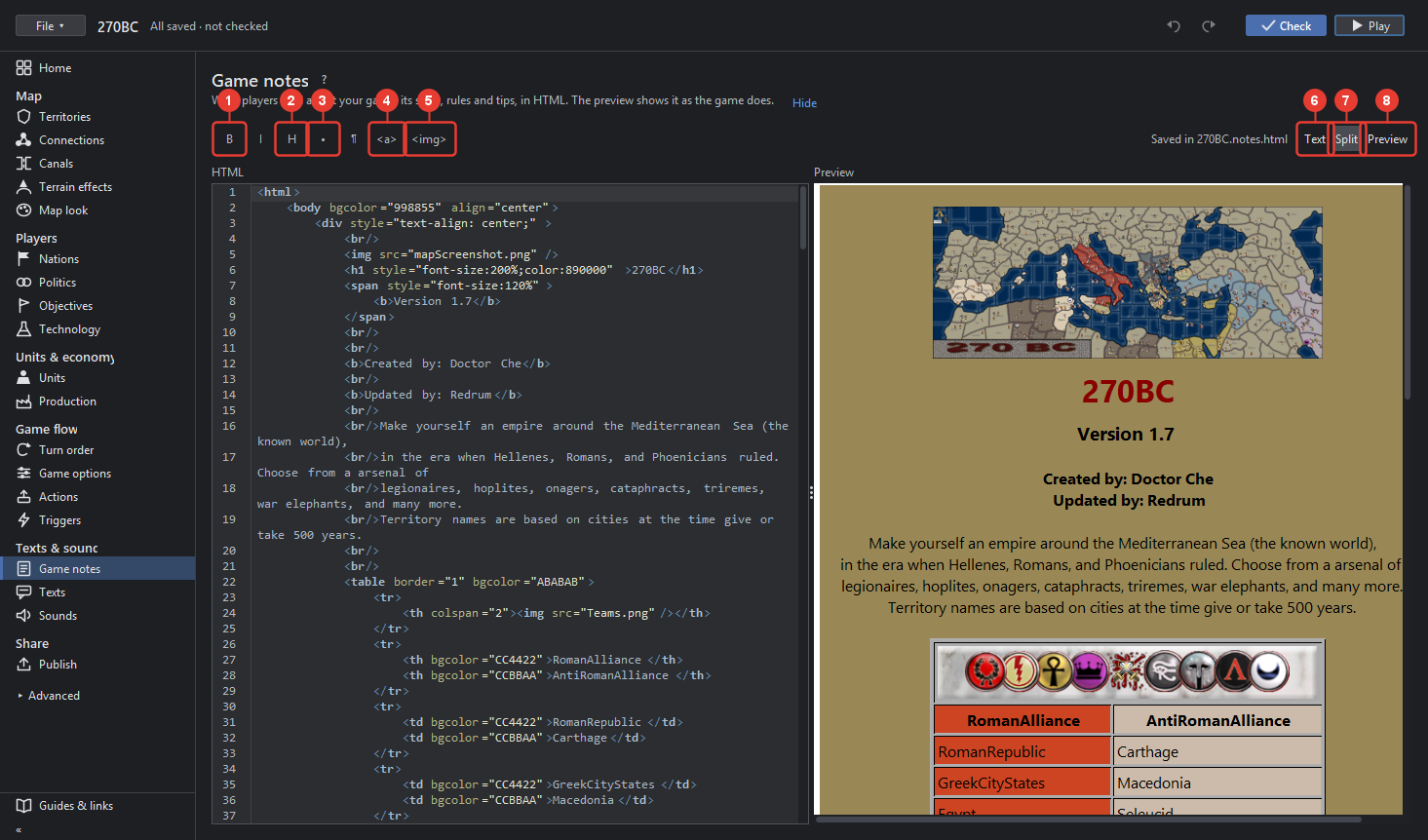
- B bold (Ctrl+B) and I italic (Ctrl+I) wrap the chosen text.
- H makes a heading of the line.
- • makes a list item of the line.
- ¶ a line break (Shift+Enter).
- Link… asks for the address and the words.
- Picture… chooses a picture file; it is copied into doc/images beside the notes and linked from there, so the map carries it.
- Text shows the HTML alone, wide.
- Split shows the HTML on the left and the preview on the right.
- Preview shows the notes as the game shows them, alone.
The HTML side is a text editor with colouring, line numbers, folding and find (Ctrl+F); the text size and the theme follow the editor. Notes that are not UTF-8 open as TripleA shows them and are saved only when changed.