Production
Each nation buys from one purchase list: rules like "1 infantry for 3 PUs". Pick a list, choose who uses it, and tick what it sells. Four tabs: Buy, Repair, Resources and Buy window tabs.
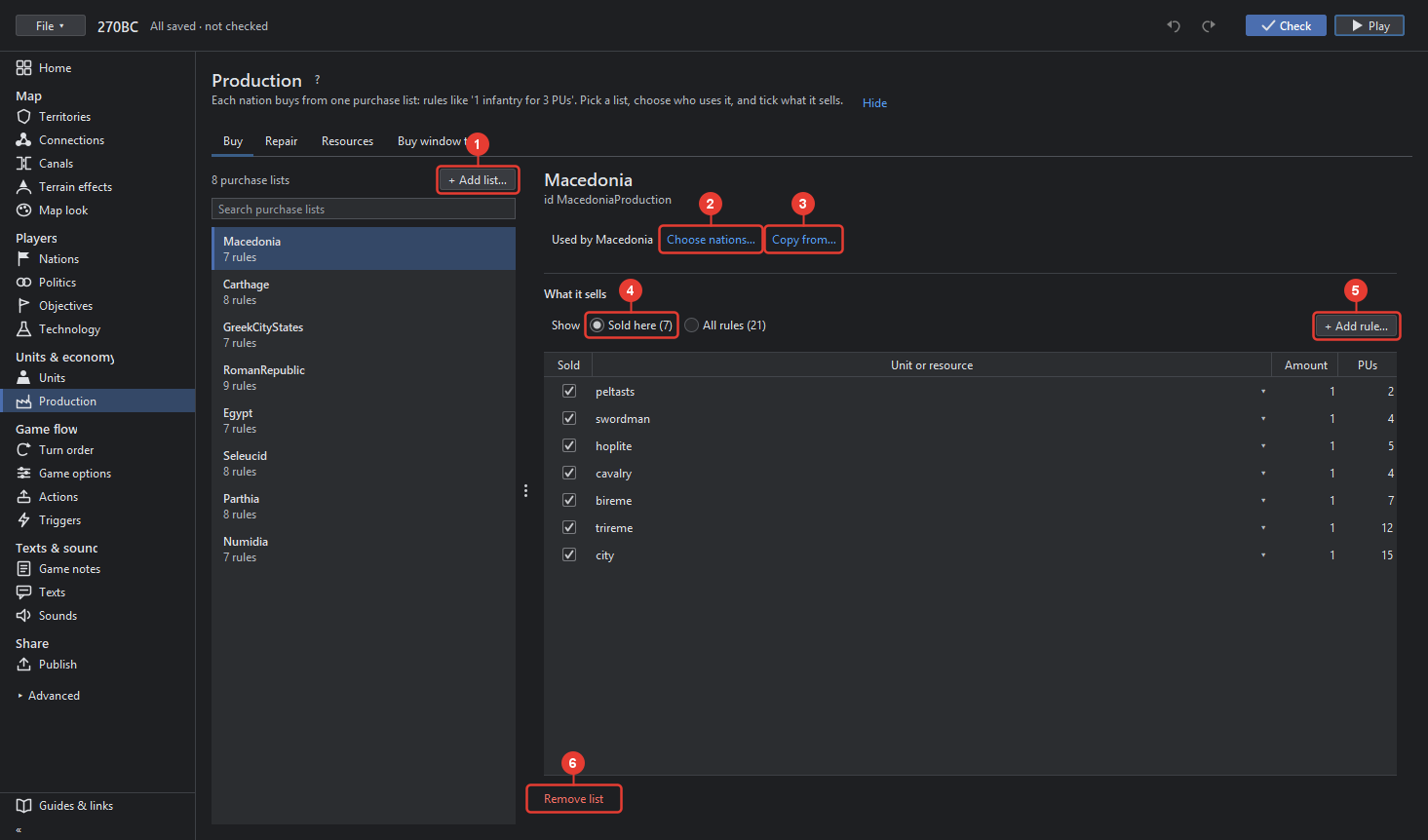
- + Add list… adds a purchase list; a nation without one cannot buy. The list on the left names the lists; a click chooses one. The header shows its id in the game file.
- Used by … Choose nations…: the nations that buy from this list. A nation uses one list.
- Copy from… takes the rules of another list in place of this one's.
- Show: Sold here (n) lists the rules this list sells; All rules (n) every rule of the game, with a tick for each that this list sells. A rule is a unit or resource for a price; tick it to sell it here.
- + Add rule… makes a rule: the unit or resource, how many, and what it costs in each resource. A rule with a count sells several at once, for example 2 infantry for 7 PUs. Each rule row has Rename, Remove rule and, in the row, the price fields.
- Remove list takes the list away; its nations then have none.
Repair
Repair lists work like purchase lists: which damaged units a nation may repair and what one point of repair costs. Choose nations… says who uses the list.
Resources
The game's resources, PUs first; Add resource… adds another, for example Ore, with its icon (Change icon…) and what each nation has of it At the start. Territories give resources per turn in Territories → More options, units in Units → Production and infrastructure.
Buy window tabs
The tabs of the game's purchase window. TripleA's own tabs sort units by kind; Own tabs lets the map define the tabs: each a name and the unit types in it.