Getting started: your first map
A small map from a picture to a game two players can play, in about half an hour. The picture below is the example: two islands, each cut into three territories, in one sea. Save it to your computer to follow along, or draw one like it in any paint program.
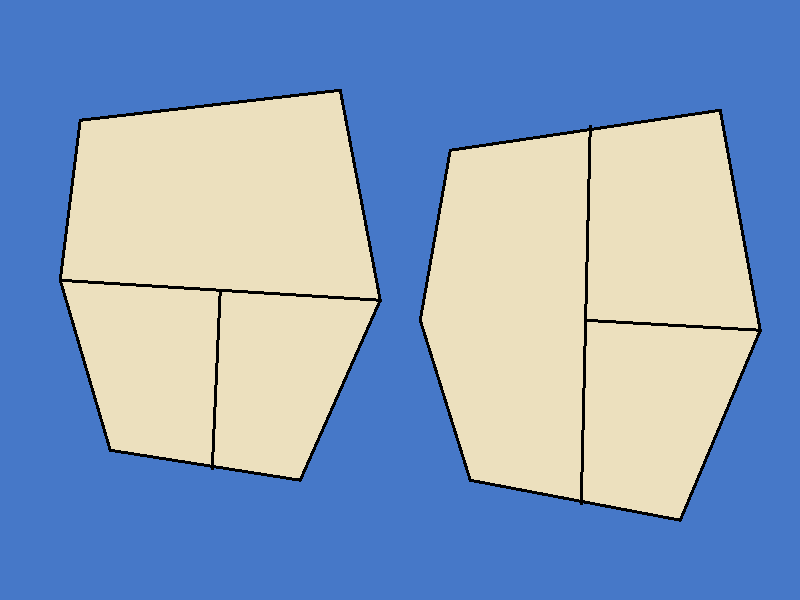
What a map picture needs: every territory closed in by dark lines, land in any colour, seas in blue. Black lines three pixels wide work well; thin grey lines are read too. Names, flags and numbers are not drawn into the picture, the game draws them itself.
1. Make the map
Start the editor and choose New map on the start page, or File → New map… (Ctrl+N).
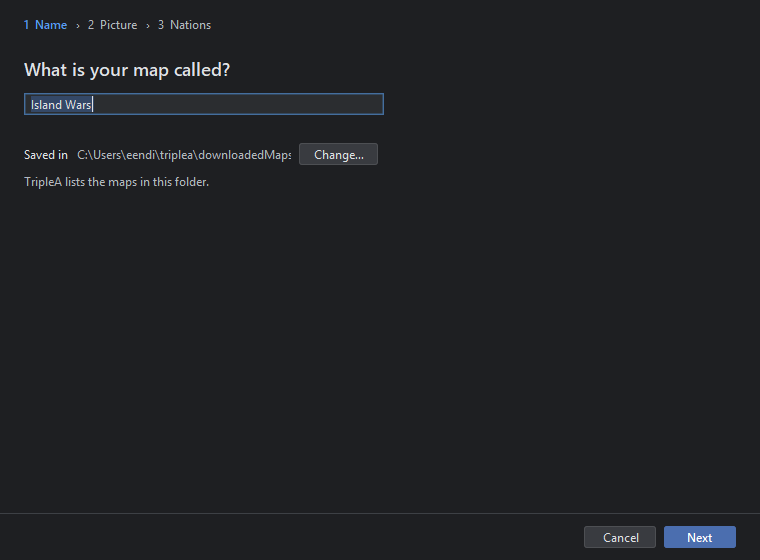
Type a name, here "Island Wars". It becomes the game's name and the folder's name, in small letters with underscores, inside TripleA's maps folder, which Saved in shows. Click Next.
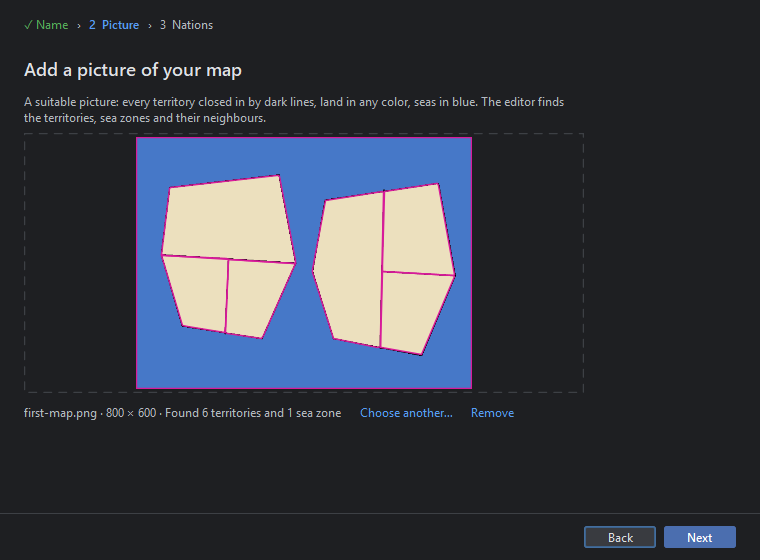
Drop the picture on the frame or click Choose picture…. The editor reads it and looks for the territories at once; the line at the bottom says "Reading … and finding its territories" with a bar, then what it found: here 800 × 600, 6 territories and 1 sea zone. If the count surprises you, a border is not closed or not dark enough: fix the picture and choose it again. Click Next.
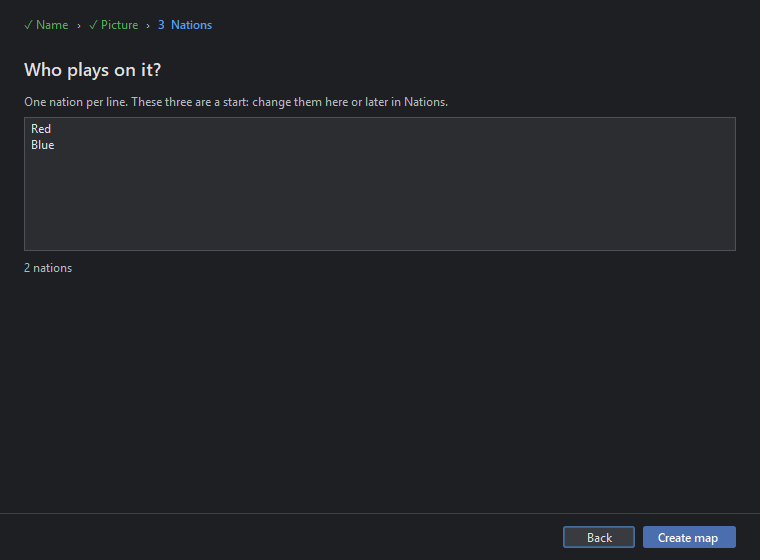
One nation per line: "Red" and "Blue". Each gets a colour, a flag and the unit pictures of a standard nation tinted in its colour. Click Create map. The map is written as a folder with map.yml, the game, the outlines, the picture cut into tiles, the flags and the unit pictures, and the editor opens it on Home.
What the new map already has: TripleA's thirteen standard unit types, from infantry to battleship and factory, and one purchase list with a rule for each, used by both nations. So once a nation has PUs and a factory, it can buy.
2. Follow Home's guide
Home says what was found and lists Steps to a playable map, each with the tool that does it. The first step, making the territories from the picture, is done. Click a step: its tool opens with the step as a goal in the row above the map, and the tool is set up for it.
Give every nation its land
The step opens Territories with the Paint brush set to Red's colour. Click or drag across the west island's three territories: they turn red. Then pick Blue in the row above the map, or in Paint → Owner, and paint the east island. The sea zone stays without owner. Finish with Done in the row above the map, or go on with the next step on Home.
Mark each nation's capital
The brush is now Paint → Capital. Click one territory of Red and one of Blue, say the biggest of each island. A capital flag appears where the game will draw it. A nation without a capital cannot collect its PUs, so the guide insists on this step.
Give the territories a value
Choose Paint → PUs per turn → 2 and drag across all six land territories; then Paint → PUs per turn → 4 and click the two capitals. The Values view shows the numbers. A nation's income is the sum of its land, so Red and Blue each earn 8 PUs a turn.
Place the units each territory starts with
The step opens the first territory without units. In Units at the start click + Add units, pick infantry and type 2. Do that for each land territory, or do one and paint the rest: Paint → Units → Copy units of the chosen one, then drag across the others; the units turn to each territory's owner. Where the game draws them is a place; drag a unit place with Places → Units if it sits badly.
Check which territories border each other
The step opens Connections. The wizard found the neighbours from the picture: every territory touches the sea zone, and the three of each island touch each other. Click a territory to see its lines in red; click a neighbour to connect or part. Nothing should be missing here, but Find neighbours again… says so when it is.
3. Make it a game
The steps above satisfy Check. For two players to actually fight across the sea, each nation needs three more things.
A factory in each capital
Purchased units are placed where a factory stands. In Territories click Red's capital, + Add units, pick factory, 1. The same for Blue's capital. A factory places as many units per turn as the territory's PUs, here 4, unless Territories → Rules → Units its factories place per turn says otherwise.
A transport and a warship at sea
Units in a sea zone belong to a nation, so the sea zone can hold both fleets. Click the sea zone, + Add units, pick transport, 1, and choose Red as the owner in the row; again for Blue. Add a destroyer each the same way, so a landing can be covered. A transport carries two infantry, or an infantry and a tank, from one island to the other.
Starting PUs
In Nations click Red: PUs at the start is what it may spend in its first purchase; the line below says what its land is worth per turn. Set 10 for both nations, enough for three infantry.
Have a look at the rules
- Turn order already has, for each nation, the steps of a round: buy, combat move, battles, non-combat move, place, collect income. Nothing to do.
- Game options has the usual options, each with its lock; leave them for now.
- Units shows the standard values: infantry 1-2-1 for 3 PUs, armour 3-3-2 for 6, and so on. Change them later if the map wants it.
4. Check, save and play
Click Check (F6). The editor loads the map as TripleA does and plays the first round in memory. With the steps above done it finds no problems; otherwise the list names each one with the tool that fixes it, for example a nation without a capital or a territory without a connection.
Click Save (Ctrl+S). The Save button's tool tip lists what it writes: the game file, the place files, map.properties.
Click Play (F7). The map is saved, the check runs on the saved files, and TripleA starts with your map in its game chooser: Island Wars, Red against Blue. Each buys infantry with its 10 PUs, places them at the factory, loads two onto the transport, sails across the sea under the destroyer's cover and lands on the other island. The first simple version of your map plays.
5. The usual next things
- Names on the map. Map look → Territory names draws them; the places are made by the wizard and moved with Places → Names in Territories. The territories are named by number so far; rename them in the Territories list.
- A relief. Map look → Create relief… makes coasts and raised land from the outlines, so the flat picture looks like a map.
- Fewer units. In Units remove what the map does not need, for example bombers and carriers on a map this small; in Production the rules follow.
- Notes. Game notes is what players read before they start.
- Publish. Publish lists what the map still needs to be downloadable in TripleA and the steps to upload it.
Every change is a step: Undo (Ctrl+Z) takes it back, Save (Ctrl+S) writes it, and the first
version of each file stays as .bak in the folder.